> For the complete documentation index, see [llms.txt](https://docs.teranode.group/welcome/llms.txt). Markdown versions of documentation pages are available by appending `.md` to page URLs; this page is available as [Markdown](https://docs.teranode.group/welcome/2.nchain-product-suite-platform/core-platform-concepts/platform-architecture.md).
# Platform architecture
## Overview of Platform Components
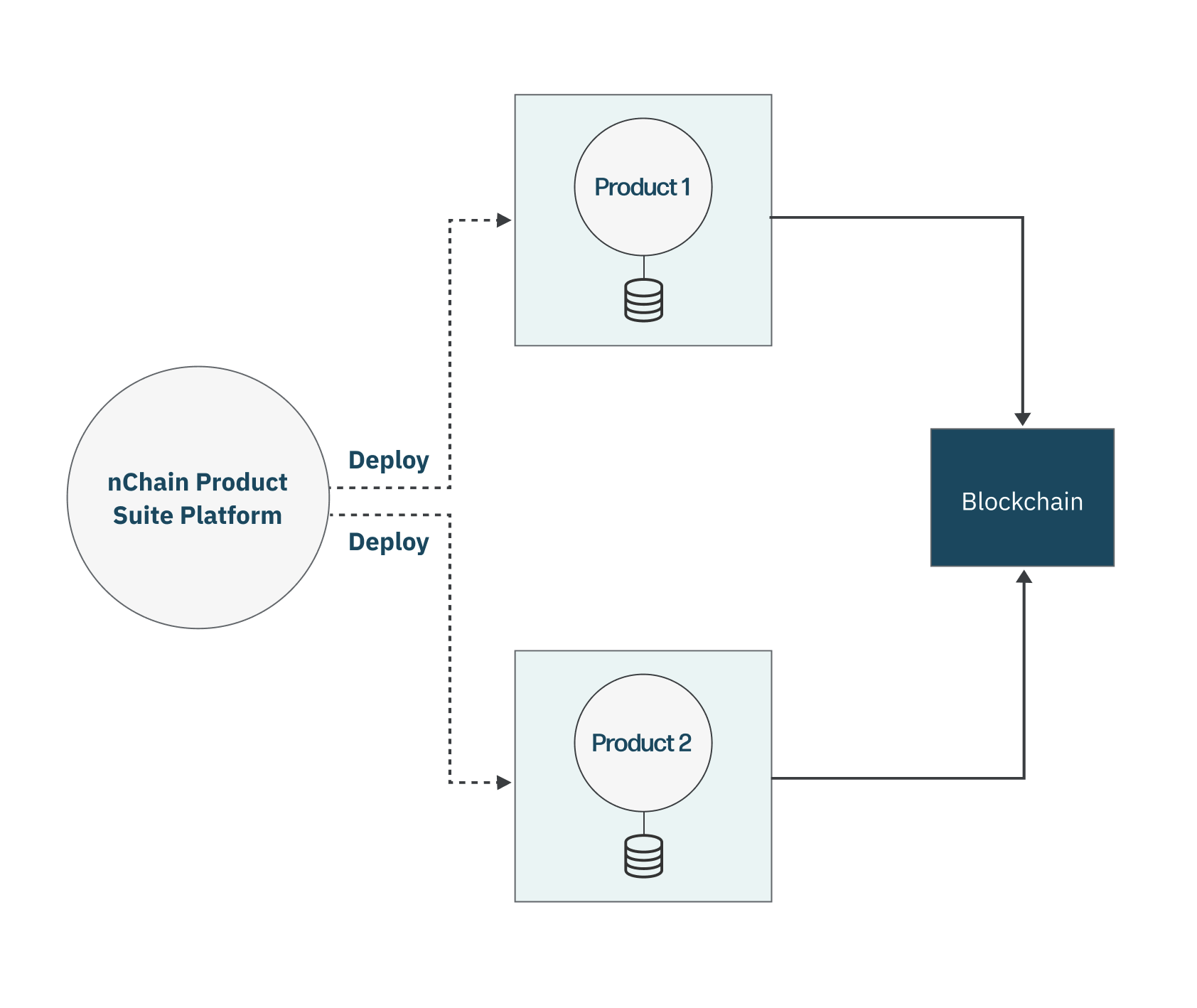
The Product Suite Platform is used to deploy Product Environments.
A Product Environment is an isolated space for trying out a product, with dedicated instances of a service. You can deploy and trial one Product Environment per Product selection (E.g. Event, Sign, Identity) and on a paid plan you can deploy as many Product Environments for your purposes as you prefer.
Once deployed, you can manage the Access Control (API keys and user permissions) to your environments via the Customer Admin Portal.
Each Product Environment handles the connection and transmission of data to the blockchain as required by the Product
Product Environments
## Data Management and Processing
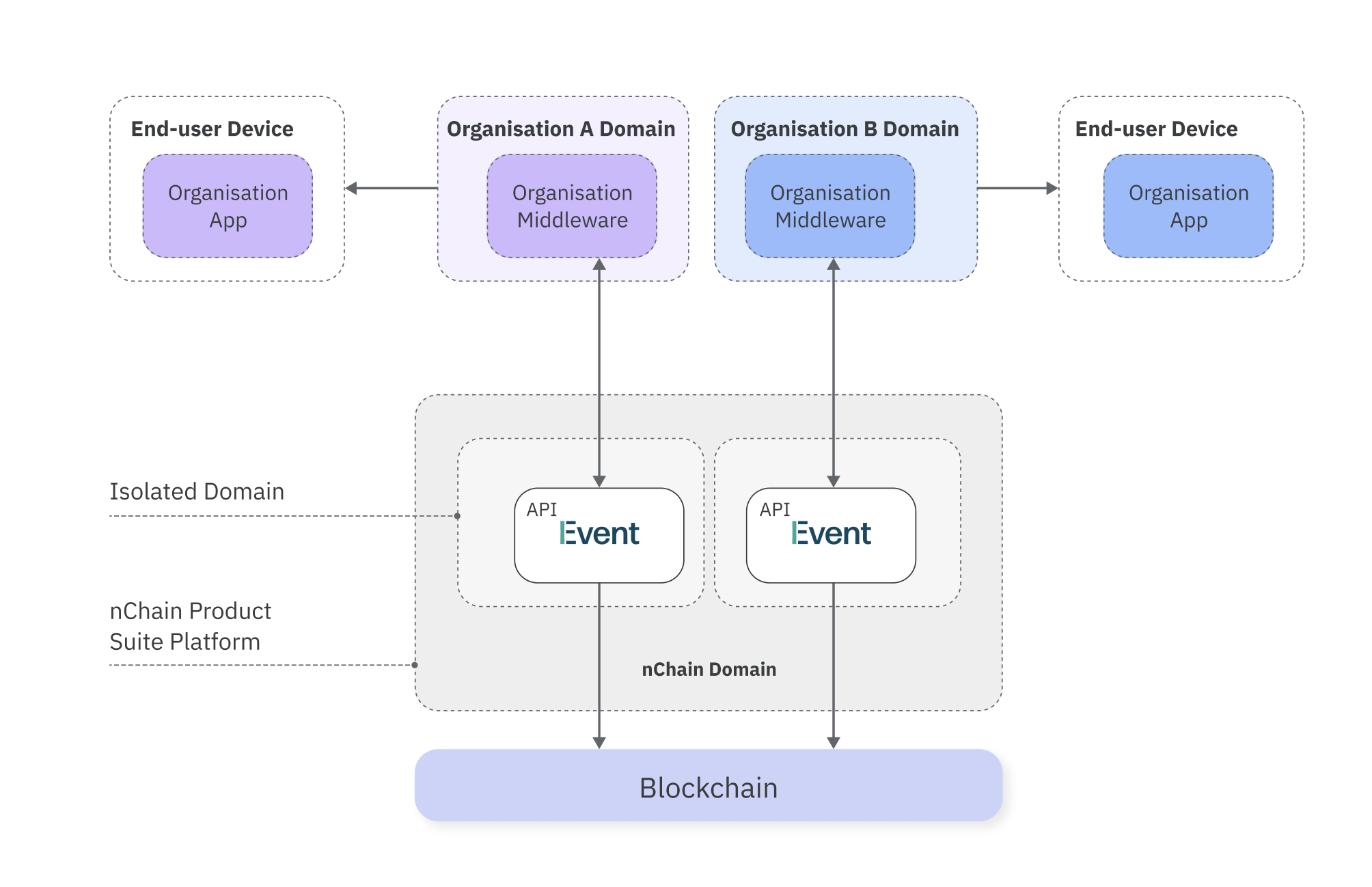
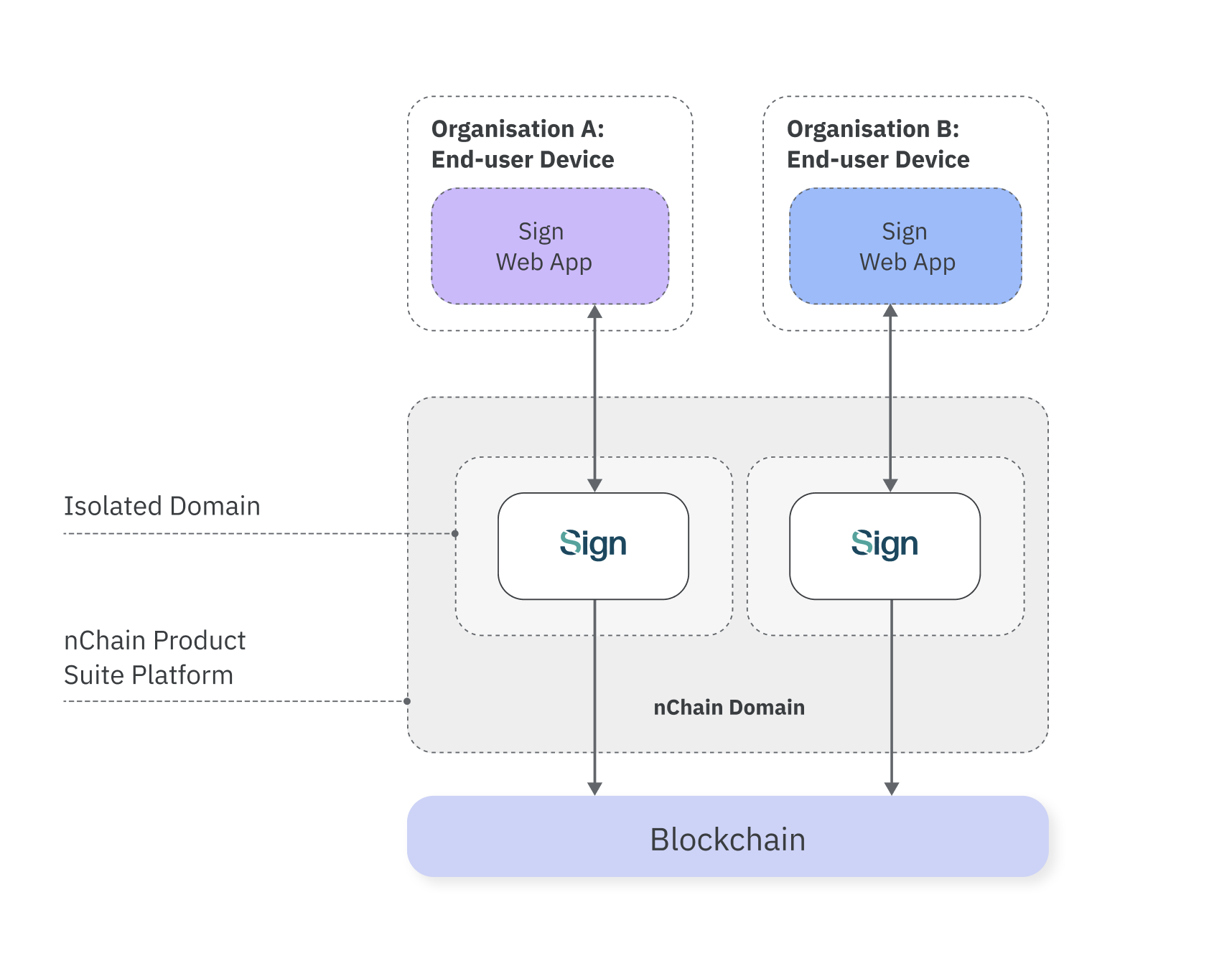
Any data storage requirements by a Product are isolated within the Product Environment so that your data is not co-mingled with other customers.
Isolated Domains with Event
Isolated Domains with Sign
Product Suite Platform ensure that backups of all environment are done periodically using industry standards practice. The periodicity and other settings are defined as per our Term of Use.
On deletion of a Product Environment, any data that was stored, including backups, is destroyed.